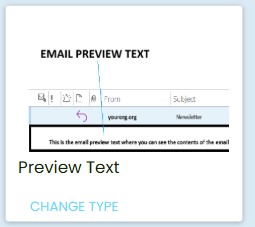
Within the Mition platform, email components play a key role in communicating with members, clients, and stakeholders. Before an email is even opened, many recipients—particularly those using Outlook—see a short line of text displayed next to the subject line. This is known as the email preview text or preheader.
A well‑crafted preview helps set expectations, improves clarity, and can significantly increase open rates. This guide explains how preview text works within Mition and how to configure it effectively
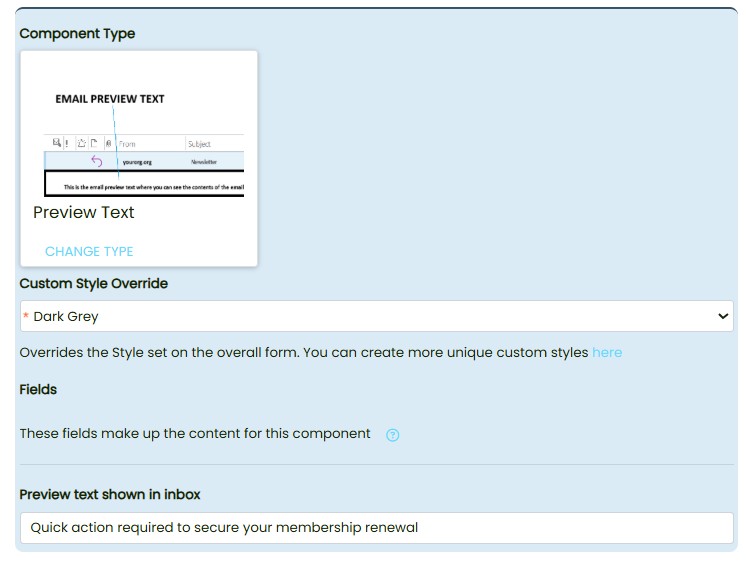
What Is Email Preview Text?
Email preview text is a short snippet shown in the inbox view of most email clients. If you don’t define it, the system may pull the first visible text from your email, which can lead to odd or unhelpful results.
Common clients that display preview text include:
- Outlook (desktop, web, and mobile)
- Gmail
- Apple Mail
- Most modern email apps
Without a defined preview, clients may display:
- The first line of your email body
- Alt text from images
- Template code
- Utility text such as “View in browser”
Adding a custom preview in Mition:
- Improves the professionalism of your communications
- Reinforces your subject line
- Helps recipients understand the purpose of the email at a glance
- Reduces the chance of messy or unintended snippets appearing
- Can increase engagement and open rates
Mition’s email component allows you to include a dedicated hidden preview text block at the top of your email template. This ensures Outlook and other clients display the correct text.