Event Category – Hidden Option
Knowledge Base > Events > Event Category – Hidden Option
Event Categories in Mition help administrators organise, classify, and manage events efficiently. To provide greater control over what appears in public‑facing lists versus internal administration views, Event Categories include several status options—one of which is Hidden. This document explains what the Hidden option does, where to find it, and how to use it in both category settings and advanced search filters
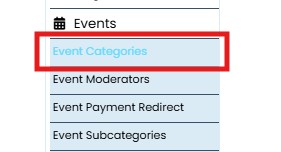
Accessing Event Categories
Event Categories can be managed through the administration panel:
Admin Settings → Events → Event Categories
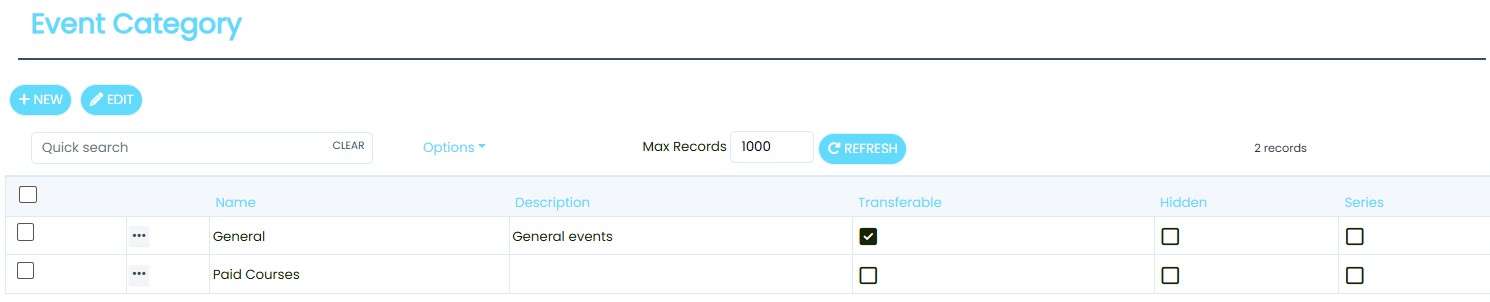
From here, administrators can:
- Create new event categories
- Edit existing categories
- Adjust category visibility and behaviour
When opening any category, several checkboxes are available:
- Deleted
- Transferable
- Hidden
- Series
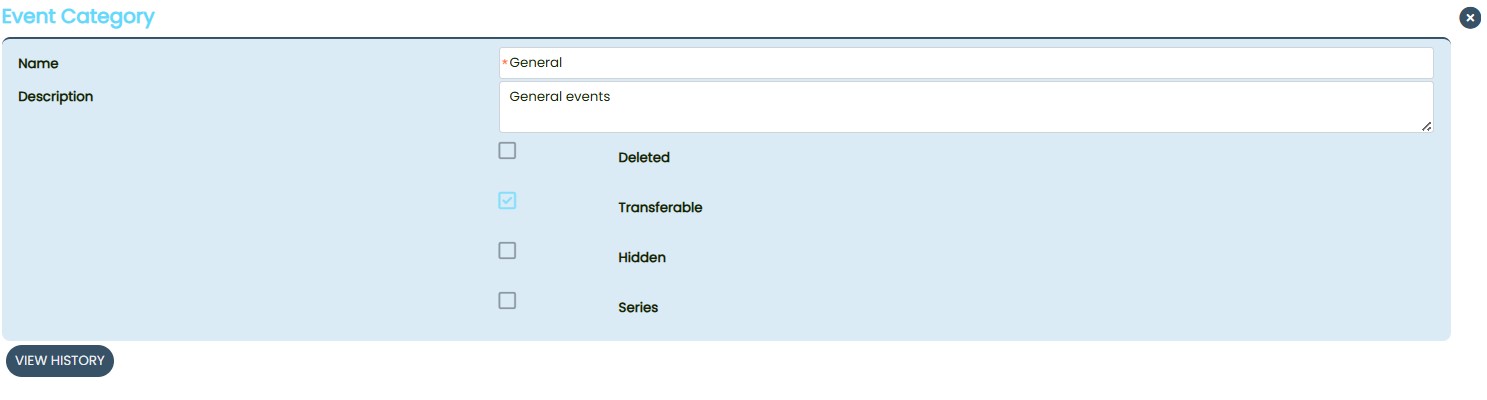
The Hidden checkbox allows administrators to control whether a category appears in the public Event List.
What Hidden Does
- When Hidden is ticked (True):
The category will not appear in the public‑facing Event List.
It will still appear in the admin Event Editor so administrators can continue to manage it. - When Hidden is unticked (False):
The category behaves normally and appears in all standard event listings.
This feature is useful for:
- Retiring categories without deleting them
- Keeping internal‑use categories out of public view
- Preparing categories for future use
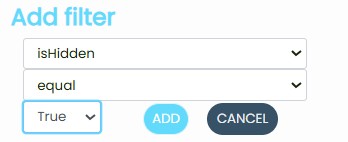
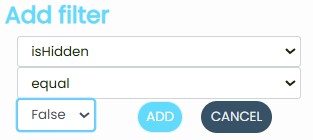
The Event Category screen includes an Advanced Search function that allows administrators to filter categories based on their attributes.
To filter by Hidden status:
- Open Advanced Search
- Select Field: isHidden
- Choose an operator:
- Equal
- Not Equal
- Select a value:
- True (hidden)
- False (not hidden)
The Hidden option in Event Categories provides administrators with flexible control over which categories appear publicly while still keeping them accessible for internal management. By using the Hidden checkbox and the Advanced Search filters, organisations can maintain a clean, relevant Event List without losing access to important internal classifications