Event Filtering- On Demand Events
Knowledge Base > Events > Event Filtering- On Demand Events
The On Demand feature allows administrators to mark events as available beyond a single scheduled date. This is particularly useful for long‑running programs, self‑paced learning, or content that remains relevant after the live session has ended. By using the On Demand flag, events can be managed more effectively and presented to participants in a way that reduces confusion around dates.
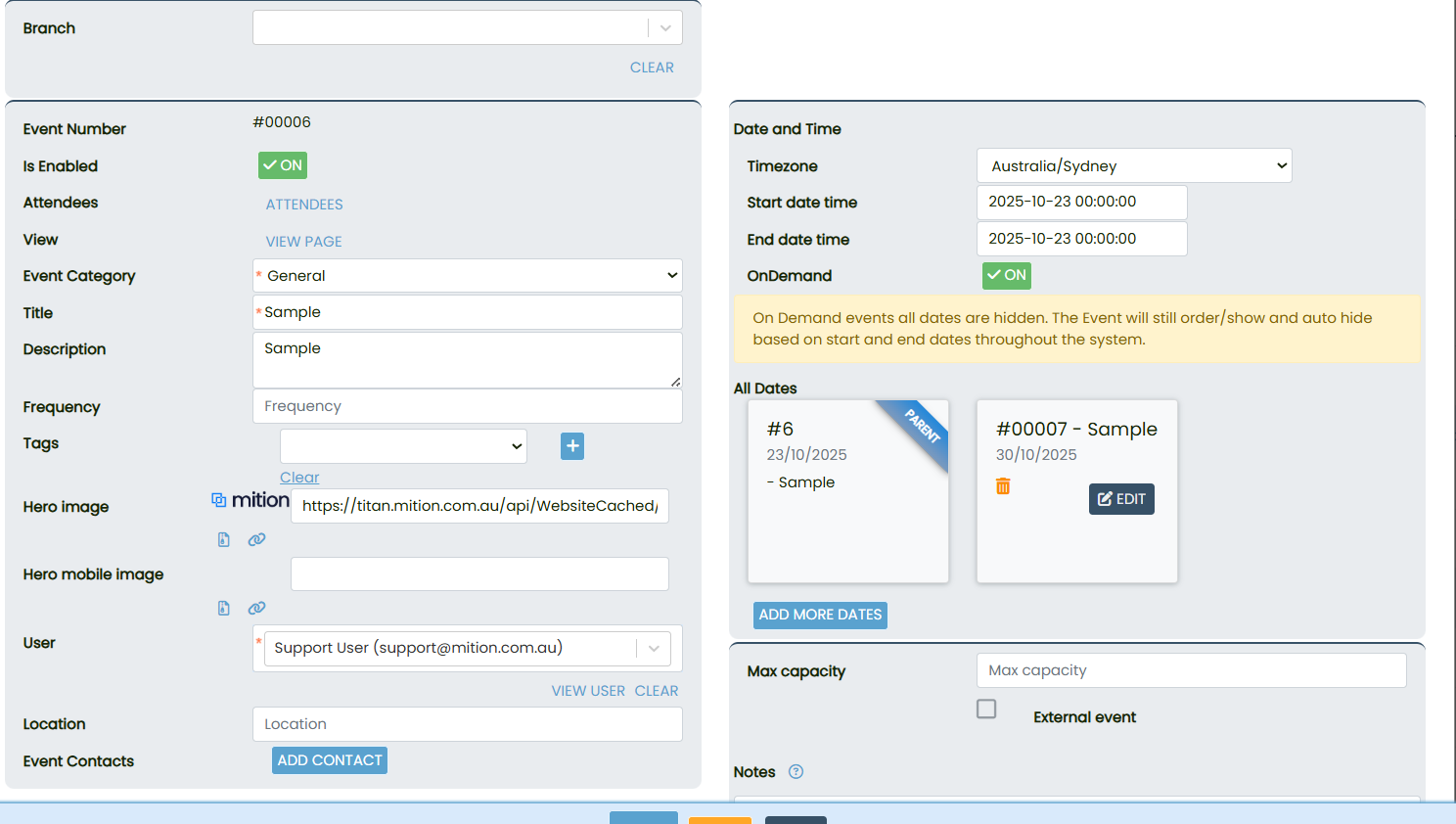
On Demand Flag
- When enabled, the event is treated as On Demand.
- Events spanning more than 60 days will have their start and end dates hidden across the system.
- The event will still order, display, and auto‑hide based on its configured start and end dates.
If the event spans more than 60 days, the system will hide start and end dates in views to reduce confusion while still ordering and auto‑hiding the event based on those dates.
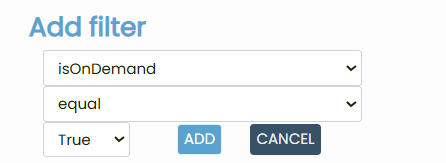
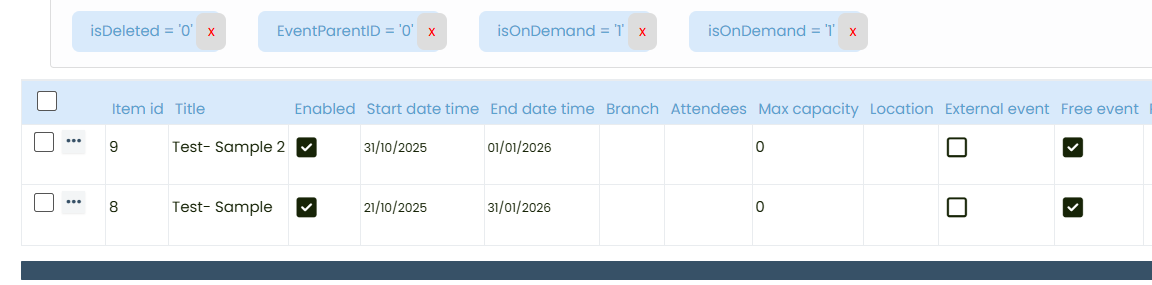
In the Event List, add a filter for isOnDemand, choose the operator equal, and set the value to true. This helps administrators quickly locate and manage events flagged as On Demand.