Event Venue Ticket
Knowledge Base > Events > Event Venue Ticket
Event organisers can now include full venue details in automated event emails, bulk attendee emails, and event tickets. This improvement ensures attendees receive clear and accurate location information without needing to open the event page.
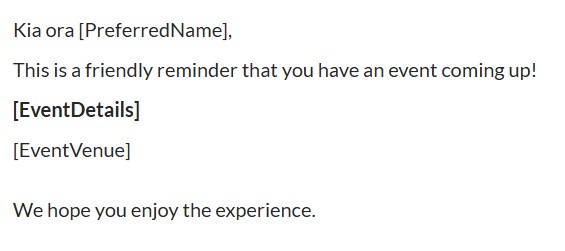
[EventVenue]
- Available in Automated Emails → Events
- Available in Bulk Emails sent from the Attendee screen
- Automatically displays the venue name and full address
- Uses the same formatting as the “View Venue” button on the Event Page (without the map)
Venue Address Added to Event Tickets
- The attendee’s online event ticket now includes the venue address
- Ensures attendees have all essential event information in one place
- Reduces confusion and improves event-day readiness
The venue details appear as a simple text block,
- Includes natural text wrapping
- No map or additional styling
- Suitable for email clients and ticket layouts
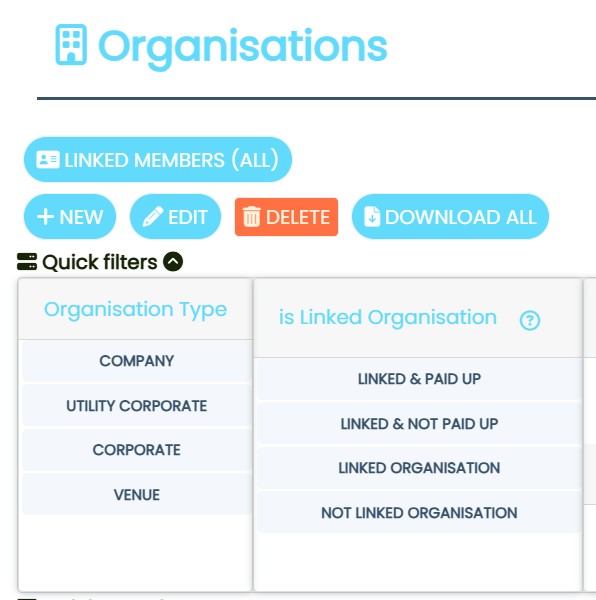
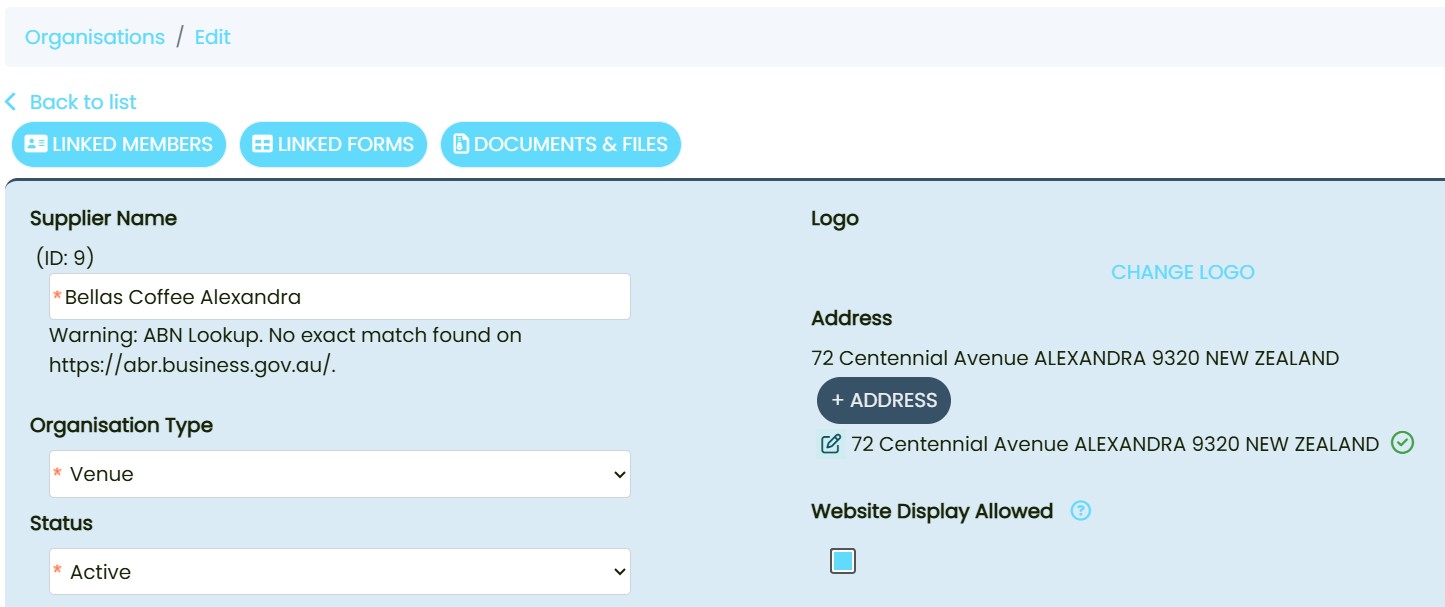
Ensure the Venue Has a Complete Address
- Go to Organisation → Add Venue Details
We can add Organisation Types (Venue) at: Admin Settings > Supplier Type
- Create or edit a venue
- Add:
- Venue name
- Street address
- Suburb
- Postcode
- Country
- Save the venue
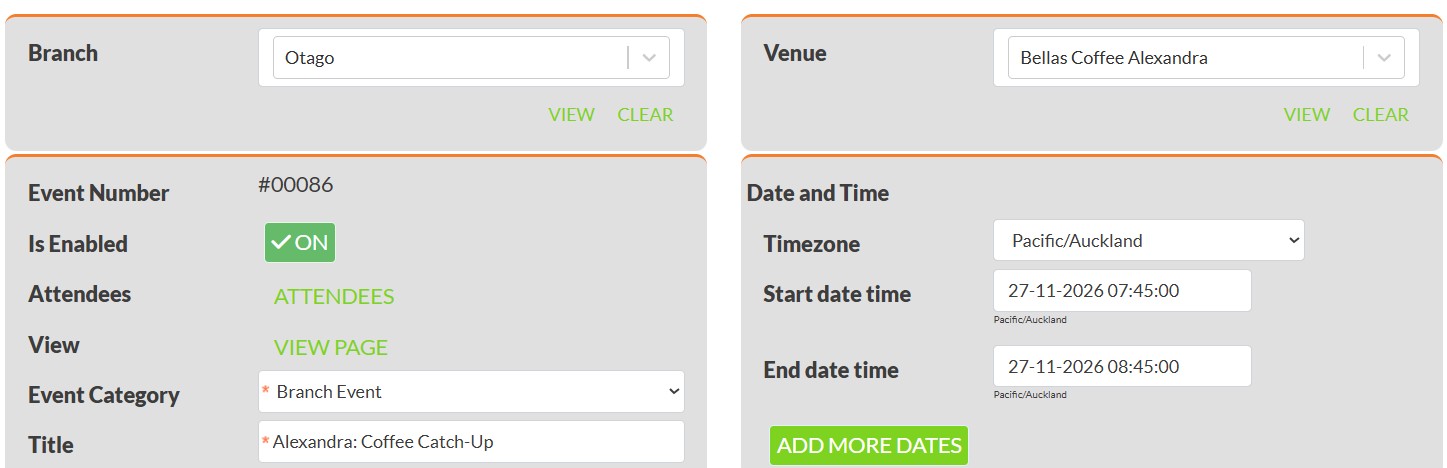
Assign the Venue to an Event
- Go to Events
- Create a new event or open an existing one
- Select the venue from the Venue dropdown
- Save the event
The event must have a linked venue for the tag to work.
Insert the [EventVenue] Tag in Automated Emails
- Open an event‑related email template (e.g., Registration Confirmation)
- Insert the tag:
[EventVenue]
- Save the template
The system will automatically replace the tag with the correct venue details when the email is sent.
Benefits
- Ensures attendees always receive accurate venue information
- Reduces manual copying and pasting
- Improves clarity in event communications
- Supports consistent formatting across all communication channels
- Enhances attendee experience and reduces event‑day confusion
The Event Venue Ticket / Email Improvement provides a more reliable and efficient way to share venue information with attendees. By introducing the [EventVenue] tag and adding venue details to event tickets, organisers can ensure consistent, accurate, and professional communication across all event touchpoints.You can easily access and print a total sales report for your event. This process ensures you have accurate insights at your fingertips, helping you evaluate event success and make informed decisions for future planning. Having reliable sales data is not only practical but also essential for improving event outcomes.