Workflows- Public Profile Visibility Workflow
Knowledge Base | Workflows | Public Profile Visibility Workflow
Managing public directory visibility is a critical workflow for ensuring that users can control how their profiles appear in public listings while maintaining privacy and flexibility. Traditionally, visibility has been managed through role assignments (e.g., “Public”), but this approach can create unintended consequences such as displaying roles on certificates. By leveraging workflows like Collect Public Profile Preference, organizations can empower users to self-manage their visibility, contact preferences, and profile details without relying on role-based controls. This documentation provides a step‑by‑step guide to configuring the workflow, setting default visibility, and enabling self‑service options for users.
To begin, log in to the Mition admin dashboard. From the left-hand menu, scroll down and click on Admin Settings. In the submenu that appears, select Workflows. This section allows you to create, edit, and manage workflows
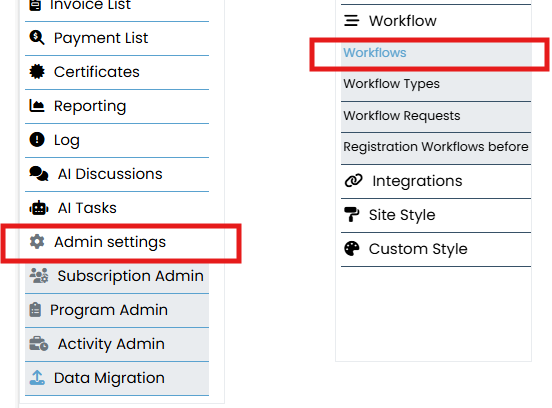
Go to Admin Settings > Workflows > Registration
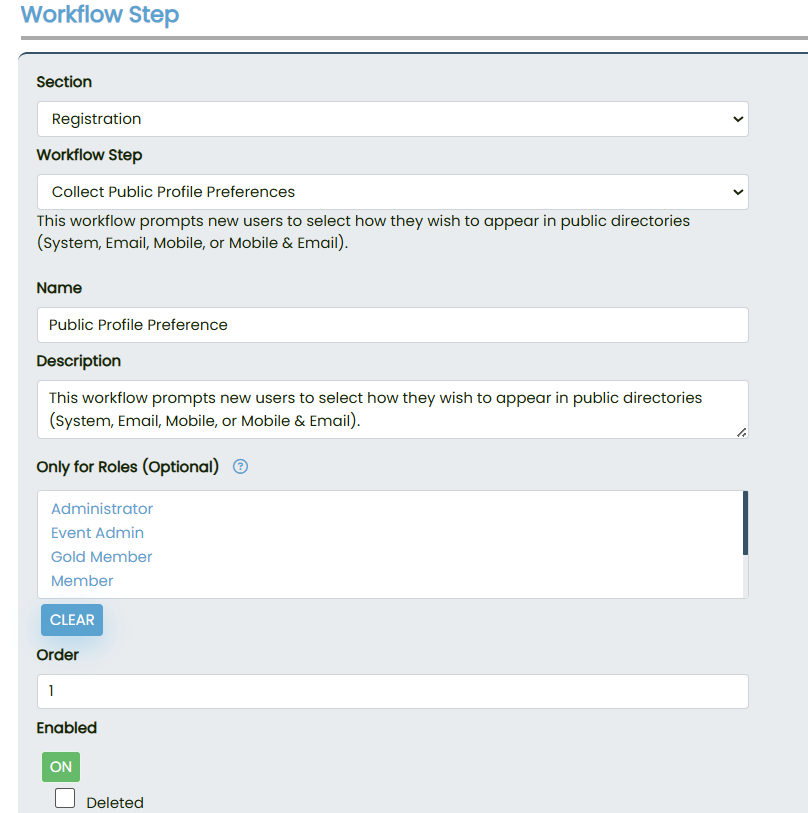
Set the Section to something relevant, such as “Registration”.
Locate the workflow titled Collect Public Profile Preference.
Apply the following configuration:
Name: Public Profile Preference
Description: We can add any description
Order: 1
Enabled: ON
Only for Roles (Optional): Leave blank or specify roles if needed.
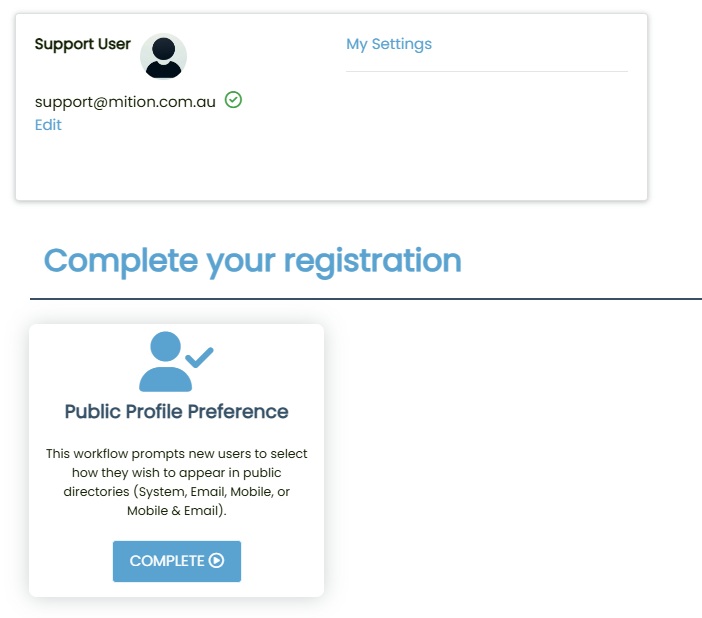
When a new user logs in, they will see a “Complete your registration” prompt.A card titled Public Profile Preference will appear.
The user must click COMPLETE to proceed.
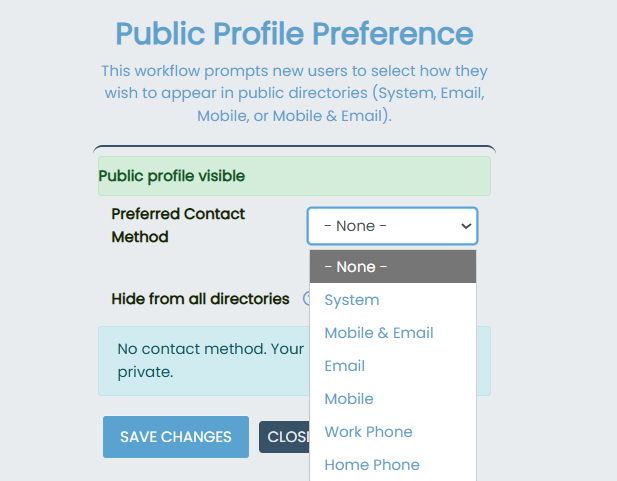
They will be asked to choose their Preferred Contact Method from the following options:
- System (default/private)
- Mobile
- Mobile & Email
- Work Phone
- Home Phone
They can:
Set their preferred contact method
Toggle “Hide from all directories”
Upload a profile photo
If they check “Hide from all directories”, then their profile will not be displayed to the public under any circumstances.

By implementing the Public Profile Preference workflow, administrators ensure that all users begin with privacy by default and are empowered to decide how their information is displayed in public directories. This approach eliminates the need for role-based visibility, prevents unintended exposure on certificates, and creates a scalable, user-driven system for managing public profiles. In summary, the workflow balances transparency with privacy, giving users control while simplifying directory management for the organization.